Fun with SDL3 and Clay
It’s natural when learning a new skill to set overly ambitious goals, and start gargantuan projects you’re very unlikely to see through to completion. You picked up the guitar, and decided you want to open at Wembley arena. You watched a few coding tutorials and decide you wanted to make a commercial video game by yourself. Well, ever since I started my coding journey in 2023, I’ve wanted to build a program where users can enter, generate, organise and transform musical content. It’d be cross-platform, render notation, play audio, and provide ways to add new functionality. Essentially: an extensible music composition environment. I actually built Meantonal, Cangen and Cantussy as part of this long-term goal.
In this post and a subsequent follow-up, I’ll be taking another small step. Together, we’ll set up an SDL3 and Clay project, create a window, and draw some text and graphics on the screen. We’ll also set up a CMakeLists.txt file that enables the same source code to be compiled both into a desktop application and WebAssembly that can run in the browser.
SDL
The case for SDL
Sadly, my current experience lies in stark contrast with the lofty goal of a feature-rich desktop application. In fact, it occurred to me that, after nearly three years spent mostly on web development, the only way I know to draw a rectangle on the screen looks something like this:
<div> <!-- content goes here --></div>Granted, that’ll run anywhere there’s a web browser to render it, but how do you do something as simple as create a window or process user keypress events in a desktop application written in a language like C or C++?
As it turns out, that’s where something like SDL comes in. SDL is a C library that abstracts away the tedious, platform-specific parts of desktop development—creating a window, opening a GPU-backed render context, and receiving keyboard, mouse, and controller input—behind a single, consistent API. The same code runs on Linux, Windows, macOS, and beyond. It gives you just enough to talk to the OS and the hardware, while staying out of your way so you can focus on your own rendering, layout, and application logic.
I’m going to use SDL3 as the backbone of my application. Let’s walk through building and installing SDL3, and setting up a project with SDL3.
Installing SDL3
You can find platform-specific installation instructions for the latest version of SDL here. I’m using Void Linux, and will be building from source with CMake. First, let’s clone the Git repository:
git clone https://github.com/libsdl-org/SDL.gitcd SDLNext, we’ll use CMake to build and install SDL:
cmake -S . -B buildcmake --build buildsudo cmake --install build --prefix /usr/localIf the previous step fails, you may need to install missing dependencies. See the list of build dependencies here.
Creating a new project
Let’s start by creating a simple project directory. Our source code will live in src/, while static resources like font files will live in resources/. For now, we’ll use a Makefile rather than worrying about CMake, and out/ will be the sole build directory.
mkdir sdl-clay-setupcd sdl-clay-setupmkdir out resources srctouch MakefileOur file tree currently looks like this:
├── Makefile├── out/├── resources/└── src/Feel free to set up a Git repository if you like—I won’t be mentioning any of the Git-related commands I’m periodically running to track changes.
For now, let’s write a very simple Makefile. To start with, we’ll only be linking to SDL3, and all our files will be directly inside src/:
compile: build run
build:  gcc ./src/*.c -o ./out/app -lSDL3
run:  ./out/app
Now, once we have some code, you’ll be able to simply run make to rebuild and open the app.
The basic loop
You can think of the basic structure of an SDL app as being roughly as follows:
int main(void) {    setup();
    while(APP_IS_RUNNING) {        handle_events();        update_display();    }
    teardown();}
First, there’s a setup phase where we initialise the window, renderer, and various bits of app state. Then, we continually check for events, such as keyboard and mouse events from the user, and update the screen in a loop until the user signals to close the application somehow. Finally, a teardown stage frees up any allocated resources.
Rather than constructing this loop directly inside the usual main() function, we will actually be using a feature of SDL3 called SDL_MAIN_USE_CALLBACKS. If this macro is defined, SDL will provide its own main() function, and we will instead be tasked with defining four functions, each of which handles a piece of the above structure:
SDL_AppResult SDL_AppInit(void **appstate, int argc, char *argv[]);SDL_AppResult SDL_AppEvent(void *appstate, SDL_Event *event);SDL_AppResult SDL_AppIterate(void *appstate);void SDL_AppQuit(void *appstate, SDL_AppResult result);- SDL_AppInit provides the initial entry point for our application, where we will initialise our window and renderer (and later, other app state).
- SDL_AppEvent is called by SDL once for each event, providing a single place to handle all events.
- SDL_AppIterate is called repeatedly once
SDL_AppInitreturnsSDL_APP_CONTINUE, until the application terminates. - SDL_AppQuit is called once by SDL before terminating the application, and provides a place to free up any dynamically-allocated resources as needed.
Creating a window
state.h
First, let’s create a file state.h and define a preliminary AppState type:
#pragma once
#include <SDL3/SDL.h>
typedef struct AppState {    SDL_Window *window;    SDL_Renderer *renderer;} AppState;
For now, we’ll just store pointers to SDL_Window and SDL_Renderer, but later on we’ll be adding a lot of stuff to this struct.
init.c
We’re going to define SDL_AppInit in init.c, and this is as good a place as any to define the SDL_MAIN_USE_CALLBACKS macro and include the SDL_main.h header:
#define SDL_MAIN_USE_CALLBACKS#include <SDL3/SDL_main.h>#include <SDL3/SDL.h>
#include "state.h"
SDL_AppResult SDL_AppInit(void **appstate, int argc, char *argv[]) {    AppState *state = SDL_calloc(1, sizeof(AppState));    if (!state) {        SDL_Log("Failed to allocate memory for AppState = %s", SDL_GetError());        return SDL_APP_FAILURE;    }    *appstate = state;
    if (!SDL_CreateWindowAndRenderer("SDL3 + Clay", 800, 600, SDL_WINDOW_RESIZABLE,                                     &state->window, &state->renderer)) {        SDL_Log("Failed to create window and renderer = %s", SDL_GetError());        return SDL_APP_FAILURE;    }
    return SDL_APP_CONTINUE;}
It’s worth unpacking a little bit of what’s going on here, as several patterns in the code above will be a recurring theme as we continue working with SDL.
SDL_AppResult is a return type with three possible values:
SDL_APP_FAILUREsignals to terminate with an error.SDL_APP_CONTINUEsignals the app should continue running.SDL_APP_SUCCESSsignals to terminate with success.
Accordingly, we will check operations that can fail, such as allocating memory for the AppState struct, and then decide how to handle their failure. Some errors should result in the application immediately terminating, in which case we return SDL_APP_FAILURE. Failure to initialise app state or create a window are things that require immediate termination. Other errors require handling gracefully, such as by writing them to an error log, or informing the user something they tried to do didn’t succeed. If there were no critical errors, we return SDL_APP_CONTINUE. Note: we do not SDL_APP_SUCCESS. This is only returned when it is time to terminate the application without error, such as when the user quits voluntarily.
The SDL_CreateWindowAndRenderer function takes a few different arguments:
SDL_CreateWindowAndRenderer("SDL3 + Clay", 800, 600, SDL_WINDOW_RESIZABLE, &state->window, &state->renderer)We provide a title for our window, an initial width and height, an SDL_WindowFlags flag value, which has various other possibilities like opening in fullscreen or as a maximised window, and pointers to the Window and Renderer.
quit.c
We should get in a habit of destroying the things we create on app teardown as soon as possible, so let’s create quit.c next:
#include <SDL3/SDL.h>
#include "state.h"
void SDL_AppQuit(void *appstate, SDL_AppResult result) {    if (result != SDL_APP_SUCCESS) {        SDL_LogError(SDL_LOG_CATEGORY_ERROR, "Application failed to run");    }
    AppState *state = appstate;
    if (state) {        if (state->renderer)            SDL_DestroyRenderer(state->renderer);
        if (state->window)            SDL_DestroyWindow(state->window);
        SDL_free(state);    }}
If you are new to C, pay close attention to the pattern: we always make sure a pointer is not NULL before trying to access any of its contents to avoid dereferencing a null pointer, and before freeing it to avoid doubly freeing memory. This must be done recursively for nested structures.
It’s not necessary to call SDL_Quit, as SDL calls it automatically after SDL_AppQuit returns, and before the process terminates.
event.c
event.c will be fairly sparse for now. We’re just going to listen for the escape key, and signal to terminate the app succesfully if it’s encountered:
#include <SDL3/SDL.h>
SDL_AppResult SDL_AppEvent(void *appstate, SDL_Event *event) {    if (event->type == SDL_EVENT_KEY_DOWN && event->key.scancode == SDL_SCANCODE_ESCAPE ||        event->type == SDL_EVENT_QUIT) {        return SDL_APP_SUCCESS;  /* end the program, reporting success to the OS. */    }    return SDL_APP_CONTINUE;}
iterate.c
Last but not least, it’s time to draw something!
#include <SDL3/SDL.h>
#include "state.h"
SDL_AppResult SDL_AppIterate(void *appstate) {    AppState *state = (AppState*) appstate;
    SDL_SetRenderDrawColor(state->renderer, 0, 30, 120, 255);    SDL_RenderClear(state->renderer);    SDL_RenderPresent(state->renderer);
    return SDL_APP_CONTINUE;}
Pretty straightforward:
- We set our draw colour.
- We clear the renderer to this new colour.
- We present the renderer to the screen.
Voila!
If you run make, you should now see a blue rectangular window on your screen. If so, congratulations!
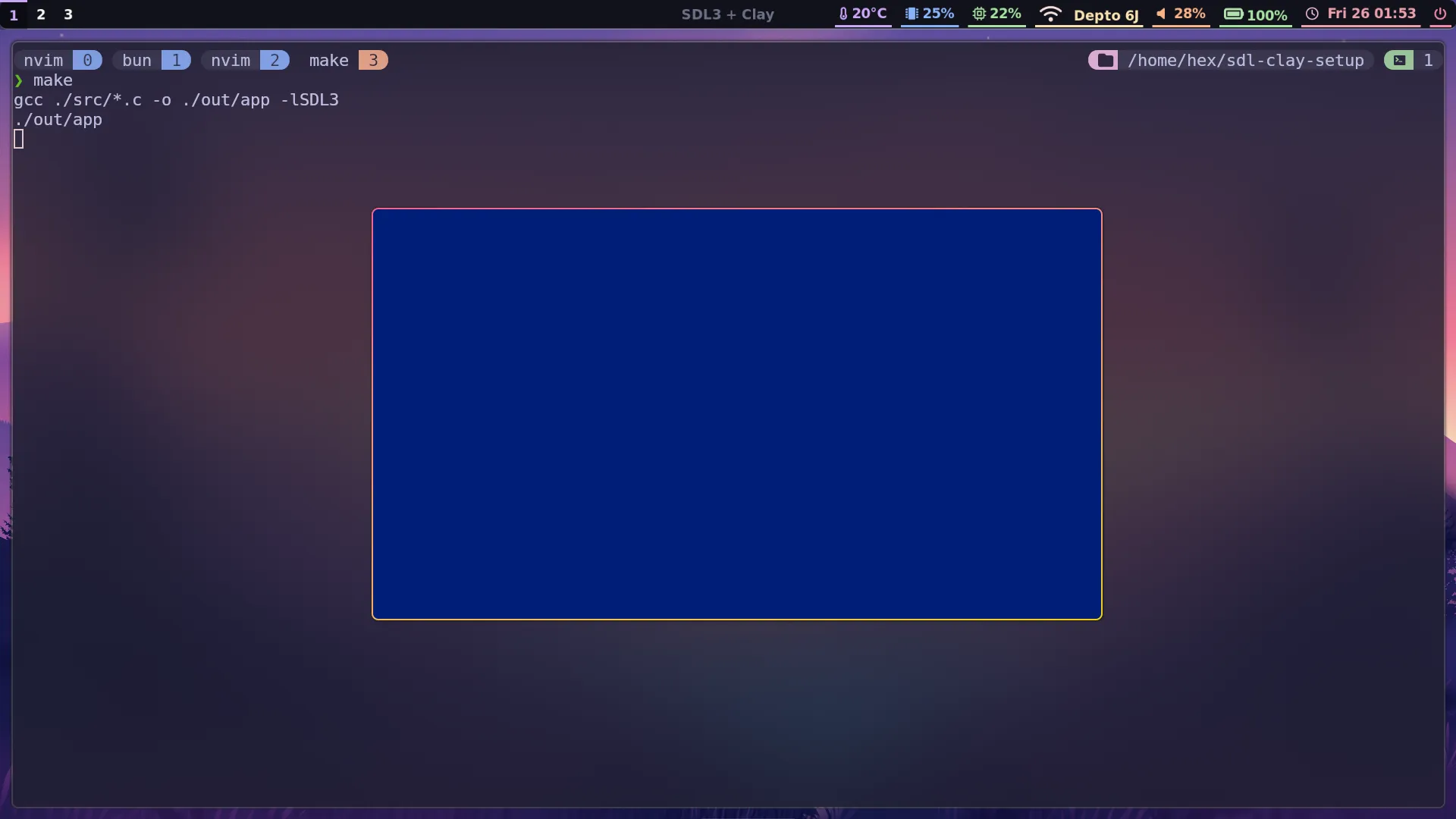
Pressing the escape key should exit the program.
What’s next?
This post is getting long enough, so I’ll wrap it up here for now. I’ll make some follow-up posts soon, where we’ll set up Clay and a CMake file that enables us to compile to WebAssembly as well as to a desktop application. We’ll see how to build out some basic UI using Clay, and render text using TrueType fonts via SDL_ttf.
Edit: part 2 is now up and can be found here
← Back to blog